What Does Driver Unavailable Mean on a Printer?

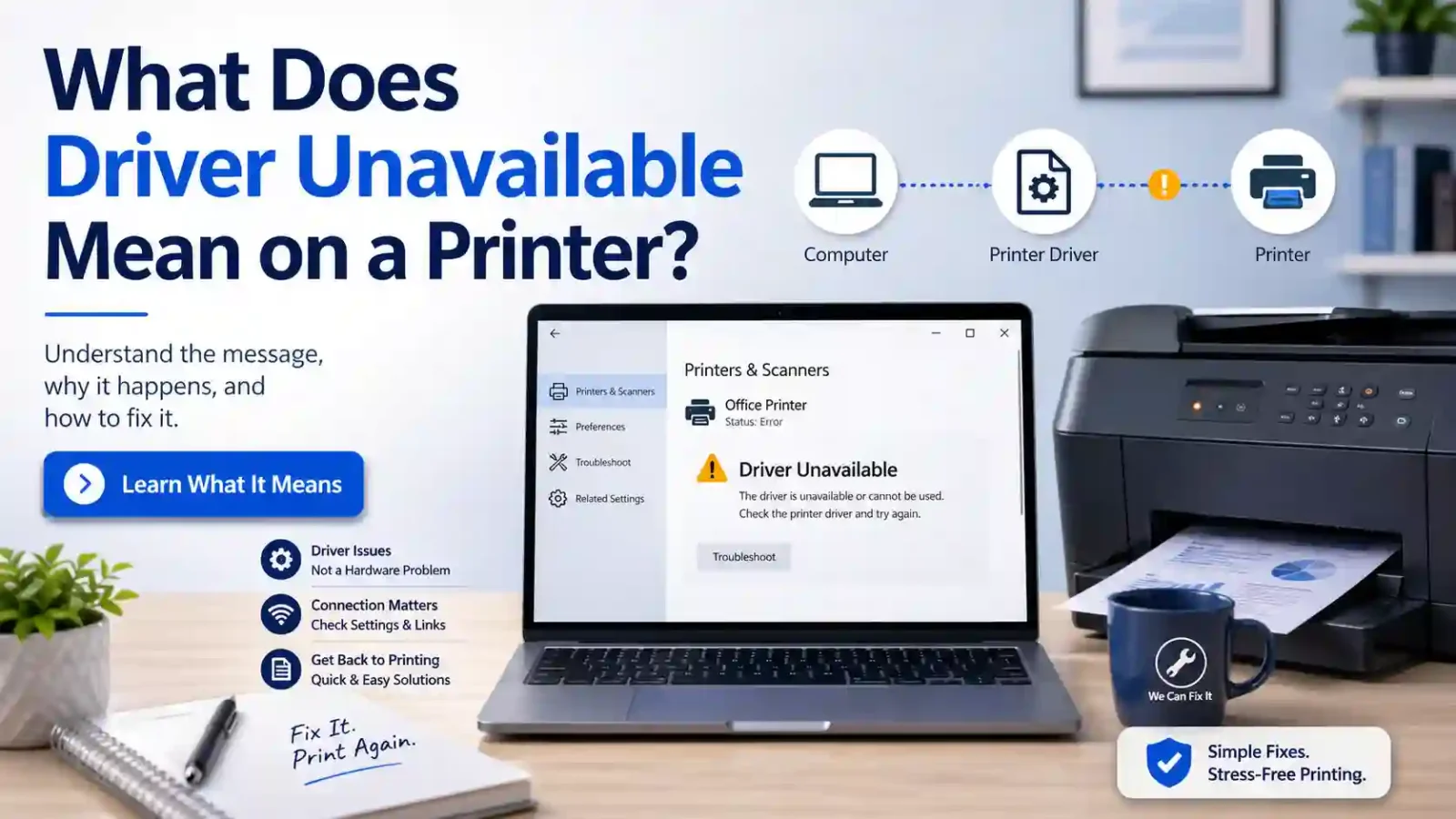
If you are wondering what does driver unavailable mean on printer, it usually means your computer cannot find, load, or use the software driver needed to communicate with your printer.
If your computer says the printer driver is unavailable, it usually means the computer cannot find, load, or use the software driver needed to communicate with your printer.
This does not always mean the printer is broken. In many cases, the printer itself may be fine, but your computer cannot use the correct driver for that printer. The problem is usually related to missing driver software, an outdated driver, a damaged driver installation, or a mismatch between the printer and the operating system.
In simple terms, the message means your computer sees a printer problem on the software side, not necessarily a hardware failure inside the printer.
Table of Contents
What Is a Printer Driver?
A printer driver is a piece of software that helps your computer and printer understand each other.
When you click Print, your computer does not simply send the page to the printer in the same way you see it on screen. It needs to turn that print request into instructions the printer can understand. The driver helps handle that communication.
Without the right driver, your computer may detect the printer but still fail to print. That is why a printer can appear in your printer list and still show a message such as “driver unavailable,” “printer driver unavailable,” or “printer driver is unavailable.”
What Does “Driver Unavailable” Mean on a Printer?
“Driver unavailable” means the computer cannot properly use the driver connected to that printer.
This can happen for several reasons. The driver may not be installed. It may be installed but damaged. It may be too old for your current system. It may not match your printer model. Or your computer may have added the printer with a basic driver that is not enough for normal printing.
The important point is that this message is usually about the connection between your computer, operating system, and printer software. It is not always about the printer’s ink, toner, paper, Wi-Fi signal, or internal hardware.
Does “Driver Unavailable” Mean the Printer Is Broken?
No, not usually.
A driver unavailable message does not automatically mean your printer is damaged or needs to be replaced. It often means your computer cannot use the printer correctly because the required software is missing, outdated, incompatible, or not working as expected.
For example, a printer may still turn on, connect to Wi-Fi, copy pages, scan from its control panel, or print from another device. But on one computer, it may show “driver unavailable” because that computer has a driver problem.
So, before assuming the printer is broken, it is better to treat this as a software or setup issue first.
Why Your Printer May Say Driver Is Unavailable
There are several common reasons this message can appear. You do not need to know all the technical details, but understanding the cause can help you avoid the wrong fix.
The driver is missing
Your computer may not have the correct printer driver installed. This can happen when a printer is added quickly, when Windows only installs a basic driver, or when the full printer software was never installed.
The driver is outdated
An older driver may stop working properly after a system update or after the printer is moved to a newer computer. This is more common with older printers.
The driver is corrupted
A driver can become damaged after a failed installation, interrupted update, or software conflict. When that happens, the printer may still appear in settings, but the computer may not be able to use it.
The driver does not match the printer
Sometimes the wrong driver is connected to the printer. This can happen if the printer model is similar to another model, if the printer was added manually, or if the system selected a generic driver that does not fully support the printer.
The printer was not added correctly
A printer may appear in the list of available printers even when the setup is incomplete. This can happen with wireless printers, shared printers, or printers that were previously installed and then re-added.
A recent update changed something
If the message appeared after a Windows update, computer reset, driver update, or printer software update, the timing may be important. The update may have changed how the computer recognizes the printer.
What the Message Does Not Always Mean
The “driver unavailable” message can be confusing because it appears near other printer problems. But it does not always mean the same thing as those problems.
It does not always mean:
- The printer is offline
- The printer is out of ink or toner
- There is a paper jam
- The print queue is stuck
- The printer hardware has failed
- You need to buy a new printer
Those problems can happen at the same time, but “driver unavailable” points mainly to the software that lets your computer use the printer.
How This Is Different From “Printer Not Printing”
“Printer not printing” describes the result. “Driver unavailable” describes one possible cause.
For example, your printer may not print because it is offline, out of paper, paused, jammed, or stuck in the print queue. But if your computer specifically says the driver is unavailable, the driver should be checked before assuming the problem is with paper, ink, or the printer hardware.
If your printer is not printing but you are not seeing a driver message, this page may not match your issue. You may find the broader printer not printing guide more useful.
How This Is Different From “Printer Offline”
A printer offline message usually means your computer does not currently see the printer as available for printing. This can happen because of a Wi-Fi issue, a cable problem, sleep mode, a network change, or a printer setting.
A driver unavailable message is different. It usually means the computer cannot use the printer driver properly, even if the printer is visible in the system.
In simple terms:
- Printer offline: the computer may not be able to reach the printer.
- Driver unavailable: the computer may not be able to use the printer software correctly.
How This Is Different From a Print Queue or Spooler Problem
A print queue problem usually means print jobs are stuck waiting to print. A spooler problem usually means the Windows service that manages print jobs is not working properly.
Those issues can stop printing, but they are not the same as a missing or unusable driver. If the message says the printer driver is unavailable, it is better to understand the driver issue first before focusing only on stuck print jobs.
What Beginners Should Check First
You do not need to start with advanced settings. Before removing drivers or making bigger system changes, check a few simple things first.
Check that the printer is connected
If it is a USB printer, make sure the cable is firmly connected to both the printer and computer. If it is a wireless printer, make sure the printer is connected to the same network you normally use for printing.
For Windows users, Microsoft’s printer connection guidance also starts with simple power, cable, and wireless checks before moving into deeper troubleshooting.
Check whether the printer appears on your computer
If the printer appears in your printer list, that means the computer recognizes something about the printer. But it does not guarantee the driver is working correctly.
Check whether the message appears on one computer or every device
If only one computer shows “driver unavailable,” the issue is probably on that computer. If several devices have the same problem, the printer setup, network, or available driver package may need closer attention.
Check whether the issue started after an update
If the problem started after a Windows update, system reset, printer software update, or new computer setup, the driver may need to be updated or reinstalled.
Check the exact printer model
Printer model numbers can be very similar. Before downloading or installing anything, confirm the exact model shown on the printer label, printer screen, box, or manufacturer app. A driver for a similar model may not work correctly.
Should You Reinstall the Driver Right Away?
Not always as the first step.
Reinstalling the driver can help in many cases, but beginners should avoid rushing into driver removal, registry changes, or random driver tools. A safer order is to first confirm the printer model, connection, recent changes, and whether the printer appears correctly on the computer.
When you do need a driver, it is usually safer to use your computer’s built-in update options or the printer manufacturer’s official driver page. Windows users can also review Microsoft’s printer driver help for general driver update and installation guidance.
Avoid downloading printer drivers from random websites, especially if they ask you to install extra tools you do not understand.
When to Use the Main Driver Unavailable Fix Guide
Once you understand what the message means, the next step is to fix the driver problem carefully.
For deeper troubleshooting, use the main printer driver unavailable guide. That page can cover more detailed steps, such as updating the driver, removing and re-adding the printer, checking Windows driver options, and using the correct manufacturer software when needed.
This page is focused on meaning and safe interpretation. The main fix guide is the better place to continue if you are ready to troubleshoot.
Bottom Line
“Driver unavailable” on a printer usually means your computer cannot use the software driver needed to communicate with the printer. It does not automatically mean the printer is broken.
The most common causes are missing, outdated, corrupted, incompatible, or incomplete printer drivers. Before making bigger changes, check the printer connection, exact model, recent updates, and whether the problem happens on one computer or multiple devices.
If you understand the message and want to move from explanation to repair, continue with the full printer driver unavailable troubleshooting guide.
What does driver unavailable mean on a printer?
It means your computer cannot find, load, or use the printer driver needed to communicate with the printer. The printer may still be working, but the computer cannot use it correctly until the driver issue is fixed.
What does printer driver unavailable mean?
Printer driver unavailable means the software that helps your computer send print instructions to the printer is missing, damaged, outdated, incompatible, or not installed correctly.
Does driver unavailable mean my printer is broken?
Not usually. It often points to a software or setup problem on the computer. The printer hardware may still be fine.
Why does my printer say the driver is unavailable?
Your printer may show this message because the correct driver is missing, the installed driver is outdated, the driver is corrupted, or the driver does not match your printer model or operating system.
Can a printer be connected but still say driver unavailable?
Yes. A printer can be connected by USB or Wi-Fi and still show a driver unavailable message if the computer cannot use the correct driver.
Is a driver unavailable the same as a printer offline?
No. Printer offline usually means the computer cannot currently reach the printer. Driver unavailable usually means the computer cannot use the printer driver correctly.
Is a driver unavailable the same as a printer not printing?
No. Printer not printing is the symptom. An unavailable printer is one possible reason the printer may not print.
Should I download a printer driver from any website?
No. It is safer to use your computer’s built-in update options or the printer manufacturer’s official support page. Random driver downloads can cause security or compatibility problems.
Should I replace my printer if the driver is unavailable?
Usually, no. Try safe driver and setup checks first. Replacement should not be the first step unless the printer is very old, unsupported, or confirmed to have a hardware problem.
What should I do after understanding the message?
If you want to fix the issue, continue with a full printer driver unavailable troubleshooting guide and follow the steps carefully.
Short excerpt
“Driver unavailable” on a printer usually means your computer cannot use the software driver needed to communicate with the printer. Learn what the message means, why it happens, and what to check before deeper fixes.